
If you’re trying to access your reports and a blank page appears instead, re-try accessing the system without using any ad blockers. You can also try by clearing your cache and cookies, or by using a different browser.
If the above does not work:
try to log in via either https://goodonyou.everflowclient.io/ or the alternative https://affiliates.goodonyou.eco URL (ensure that no VPN or Adblocker are used in any case)
if a blank page is still showing, please try the above again but using incognito mode this time
if incognito does not work either, try another device
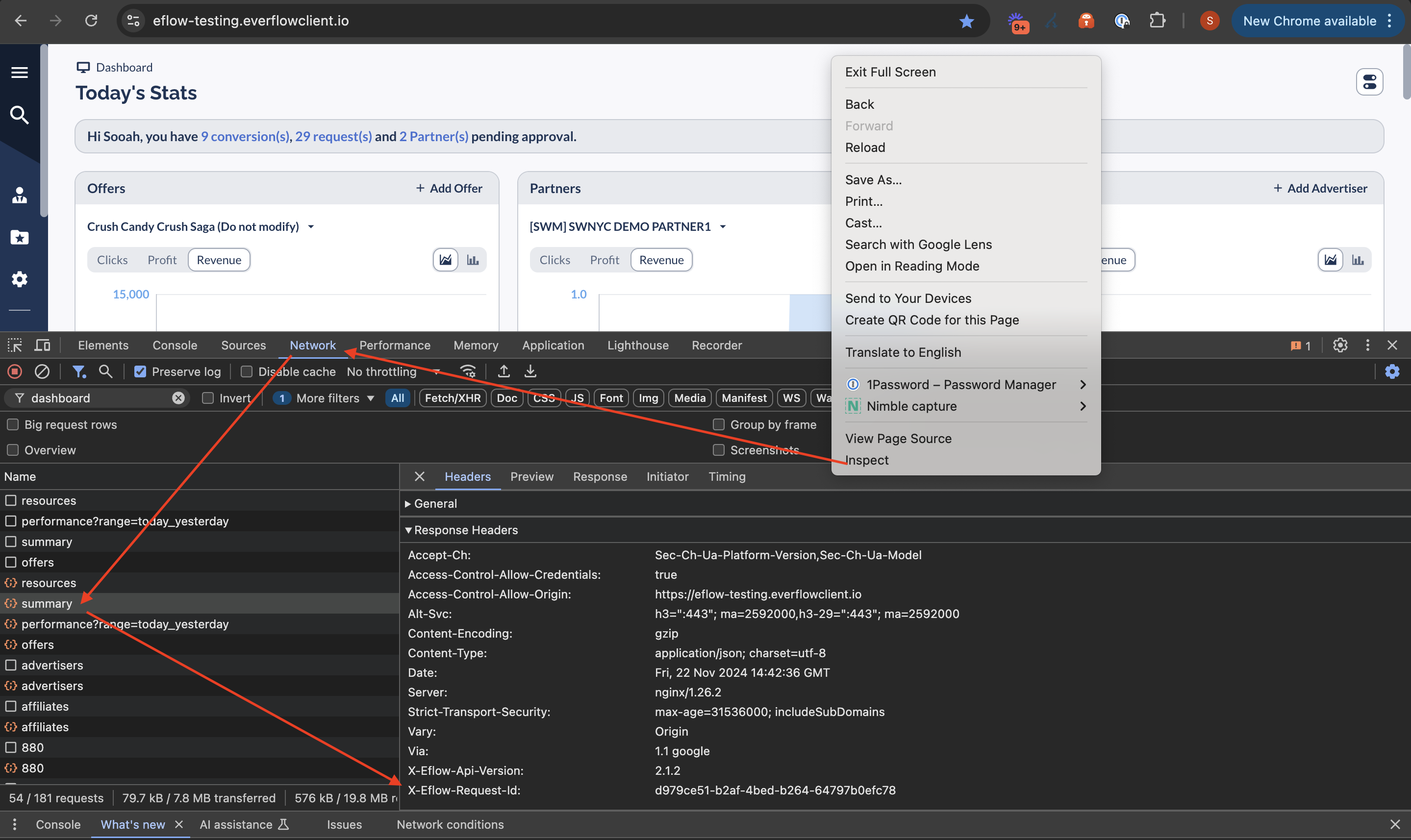
If none of the above works, please report your EF request ID to denise@goodonyou.eco to investigate further:
(1) right click on your browser - click inspect
(2) navigate to Network tab
(3) search for the errored call (refresh the page if you do not see this)
(4) click and look for X-Eflow-Request-Id on the right side of the screen.