

There's an easy-to-use tool for that: you can add this extension to the Chrome browser to generate affiliate links for any page of all participating brand's websites.
Ask your account manager for your own API Key to log in and be able to start using the tool (reach out at denise@goodonyou.eco)
Alternatively:
You can also generate affiliate links to a brand's website homepage directly in Everflow, following these instructions.
If you need to create affiliate links for different URLs than the brand's website homepage, you can do it as follows:
1) Go to Dashboard and navigate to the "Tracking Link" card
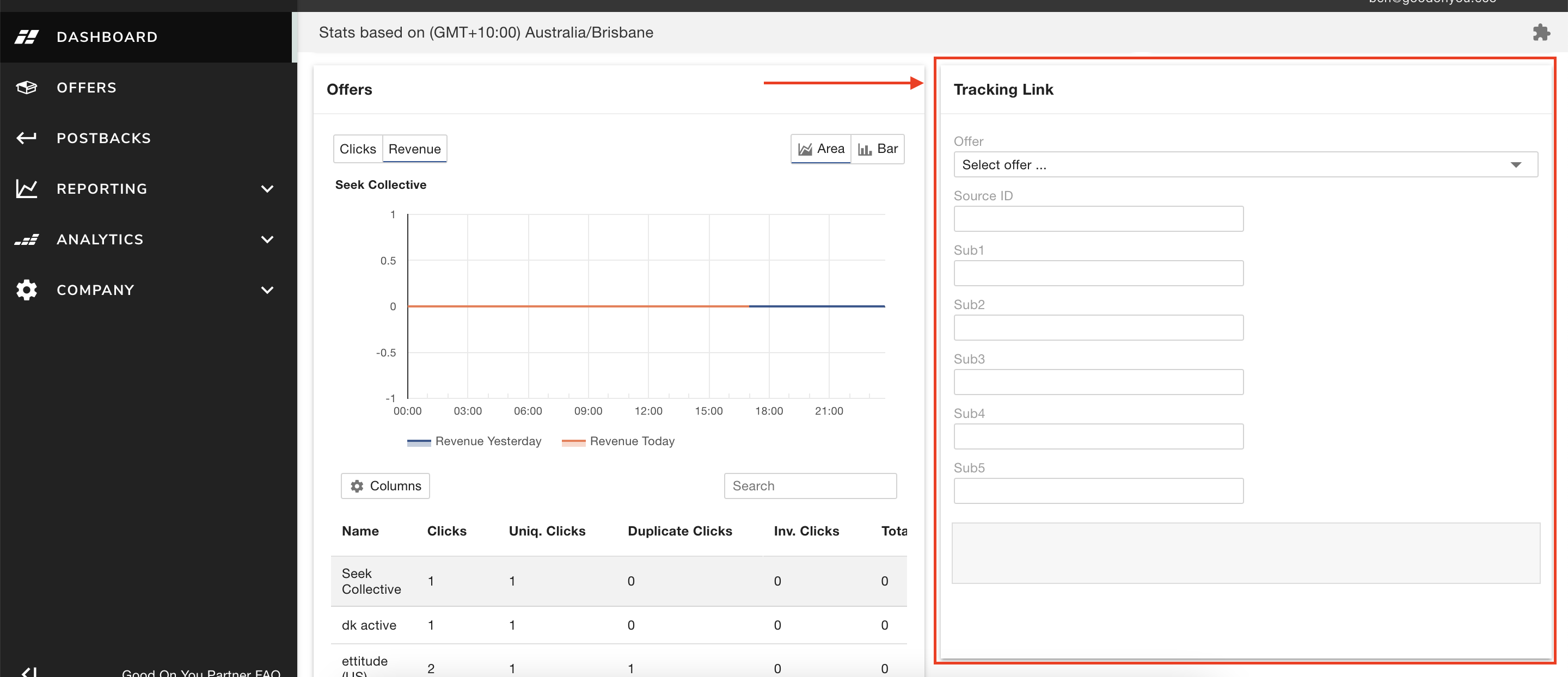
2) Select an Offer from the dropdown menu to generate a tracking link to the brand's homepage
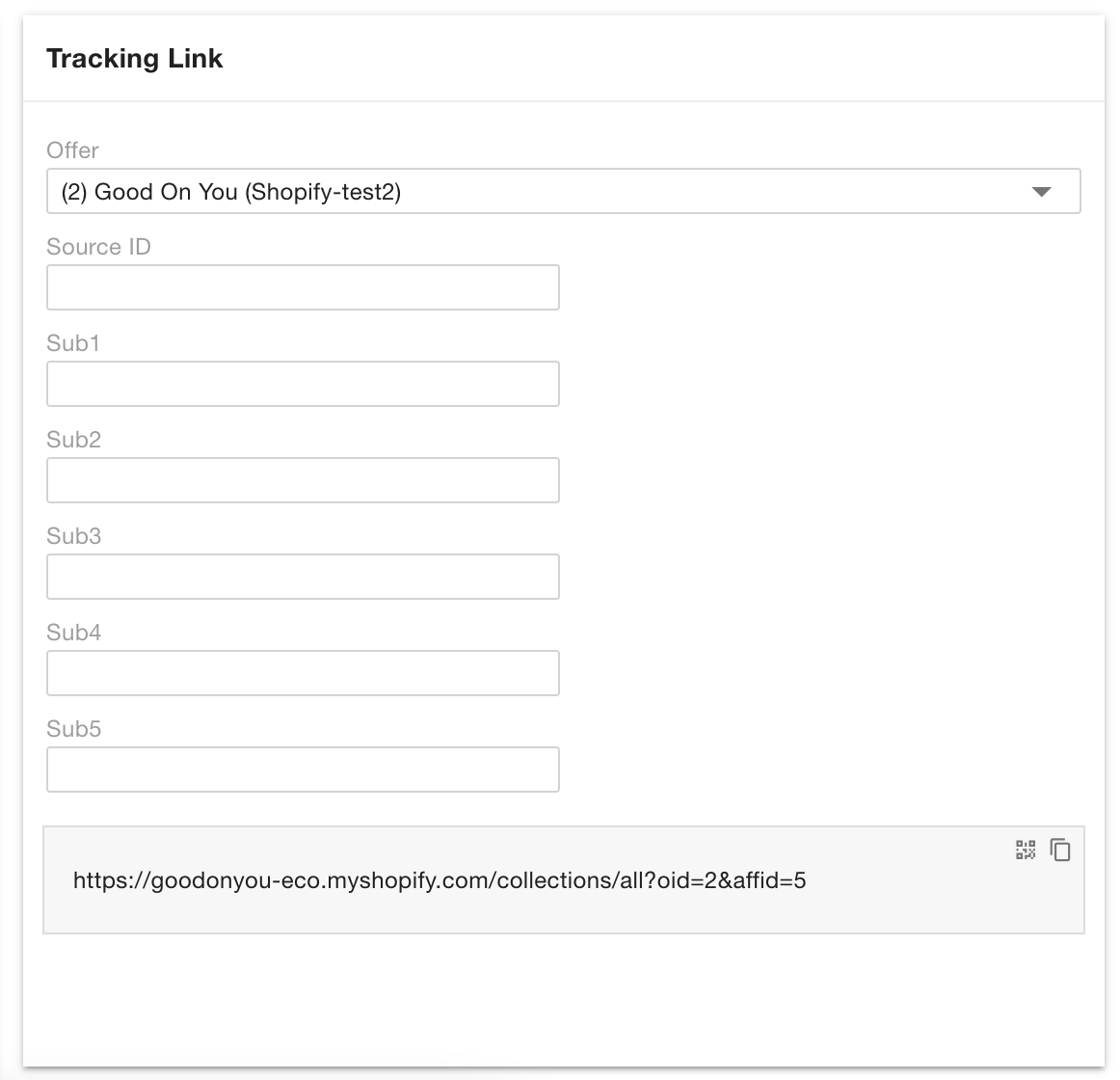
3) Copy the UTM parameters (?oid=x&affid=y)
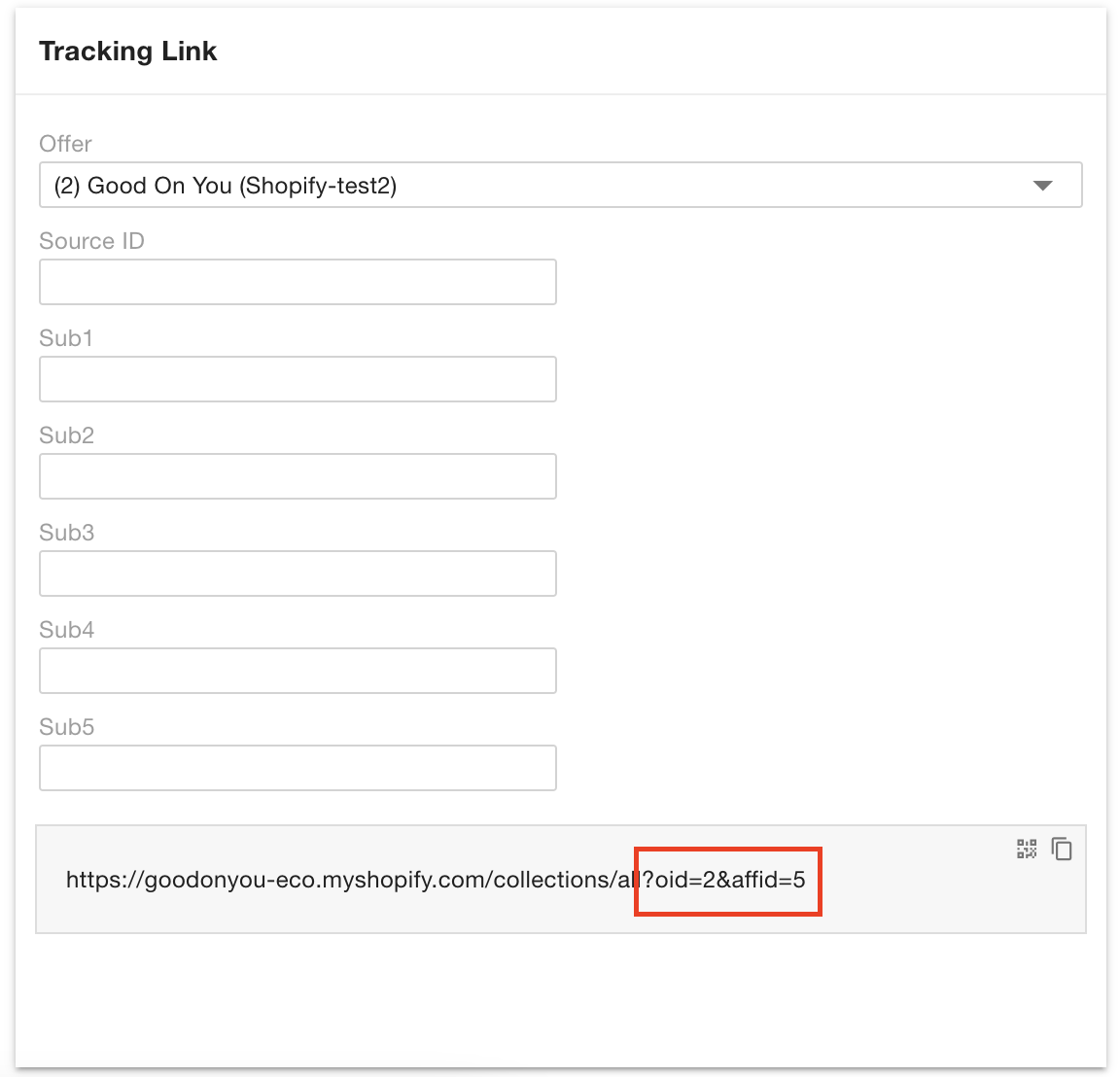
4) Use the same parameters to track more links from that same brand.
Eg. https://brandstore.com/?oid=1&affid=1 (automatically generated through the Tracking Link)
https://brandstore.com/collections/women-t-shirts/?oid=1&affid=1
https://brandstore.com/collections/women-t-shirts/short-sleeve-crew-neck-black/?oid=1&affid=1
5) Repeat the same process for all brands you'd like to generate tracking links for.