

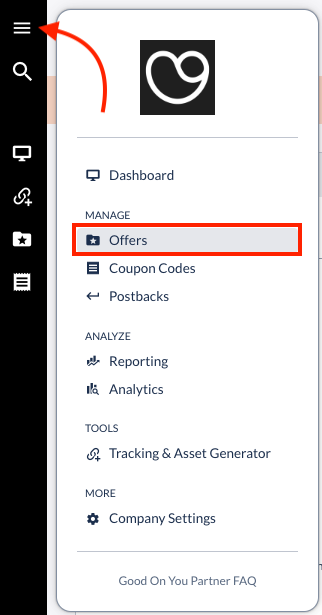
Navigate to the "Offers" menu, selecting this option from the main menu:
Select the Offer/brand you'd like to get images for. Once you're in the Offer profile, scroll down to the "Creatives" card and you'll be able to find images there (labelled: "Hero image"):
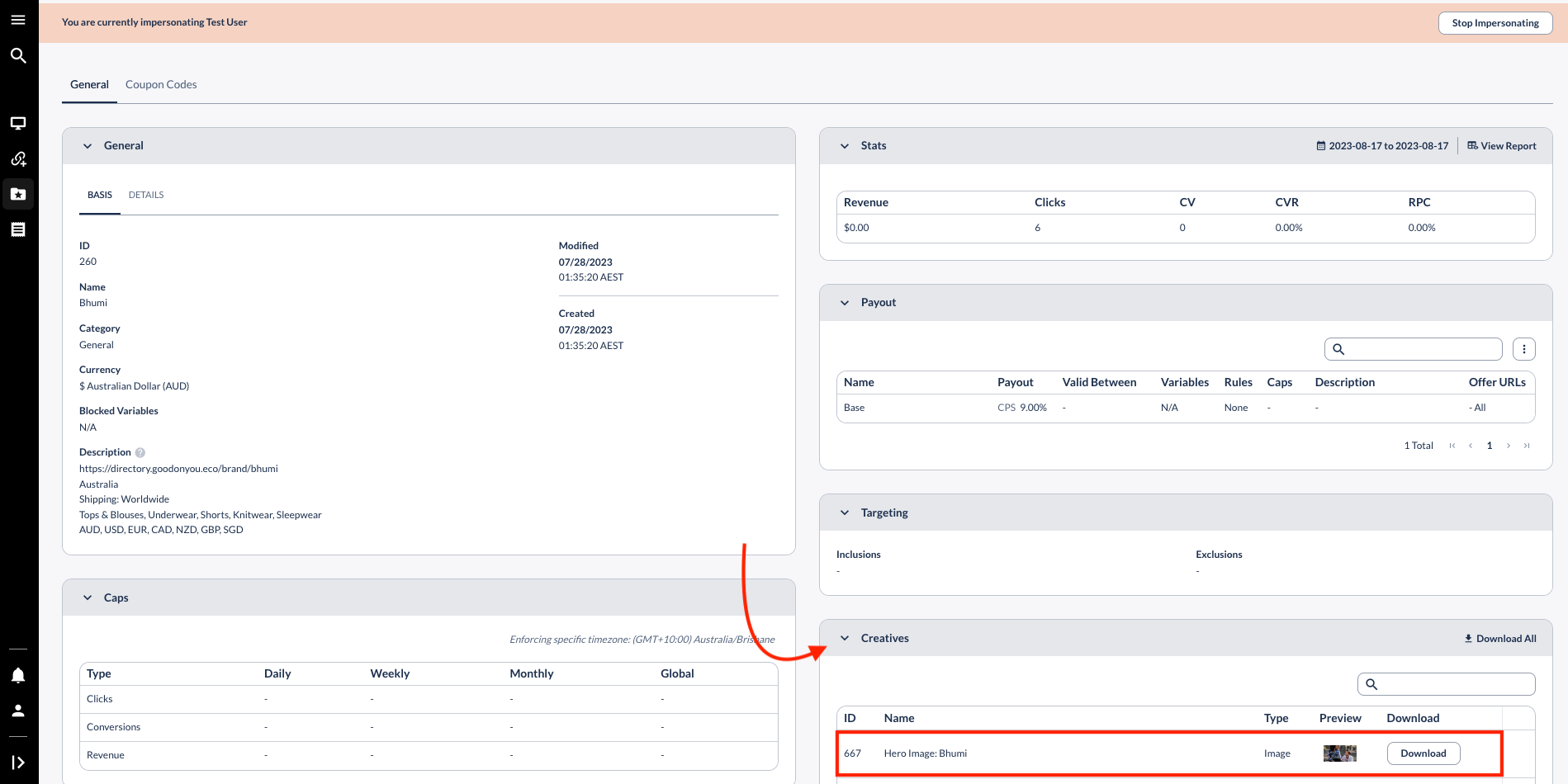
You can then click on "Preview" to see a preview of the image, or on the "Download" button to save the image on your device.
Note that Hero Images with a higher ID number are the most recent ones. We encourage you to focus on those and avoid using outdated imagery.