

Good On You Resource Centre

Everything you need to know about Good On You, our ratings and our products.

How can I match orders registered on Everflow with the orders registered in my store?

Using the Platform

How can I match orders registered on Everflow with the orders registered in my store?

Last updated on 27 May, 2026

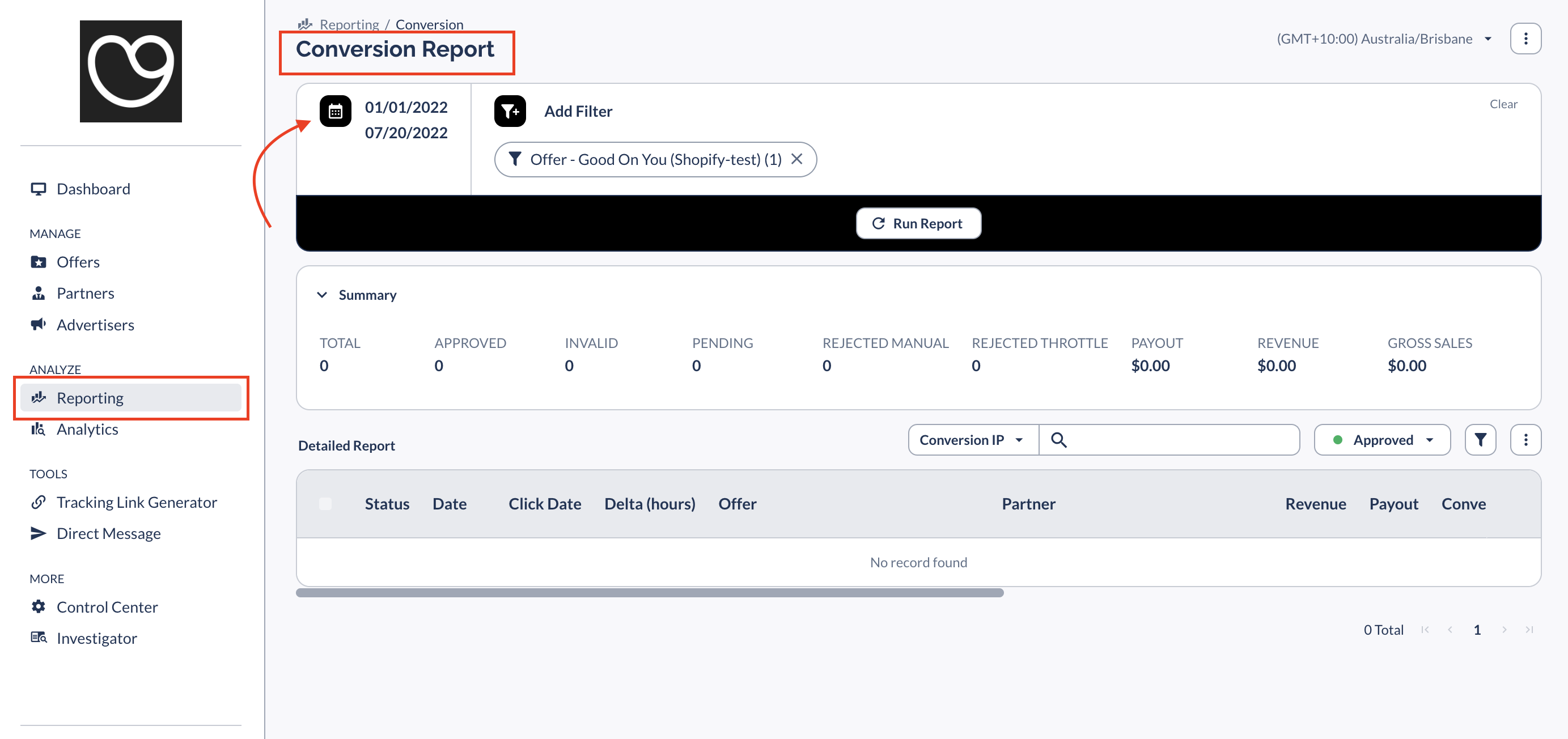
To check referred orders, add the 'Order number' field to your reports.

(1) Go to Reporting > Conversion report, and select a time frame.
_vtqdwhfn-62f0eeyys5fywfny8_VJyIRgKMtQ41658318263291-1.png

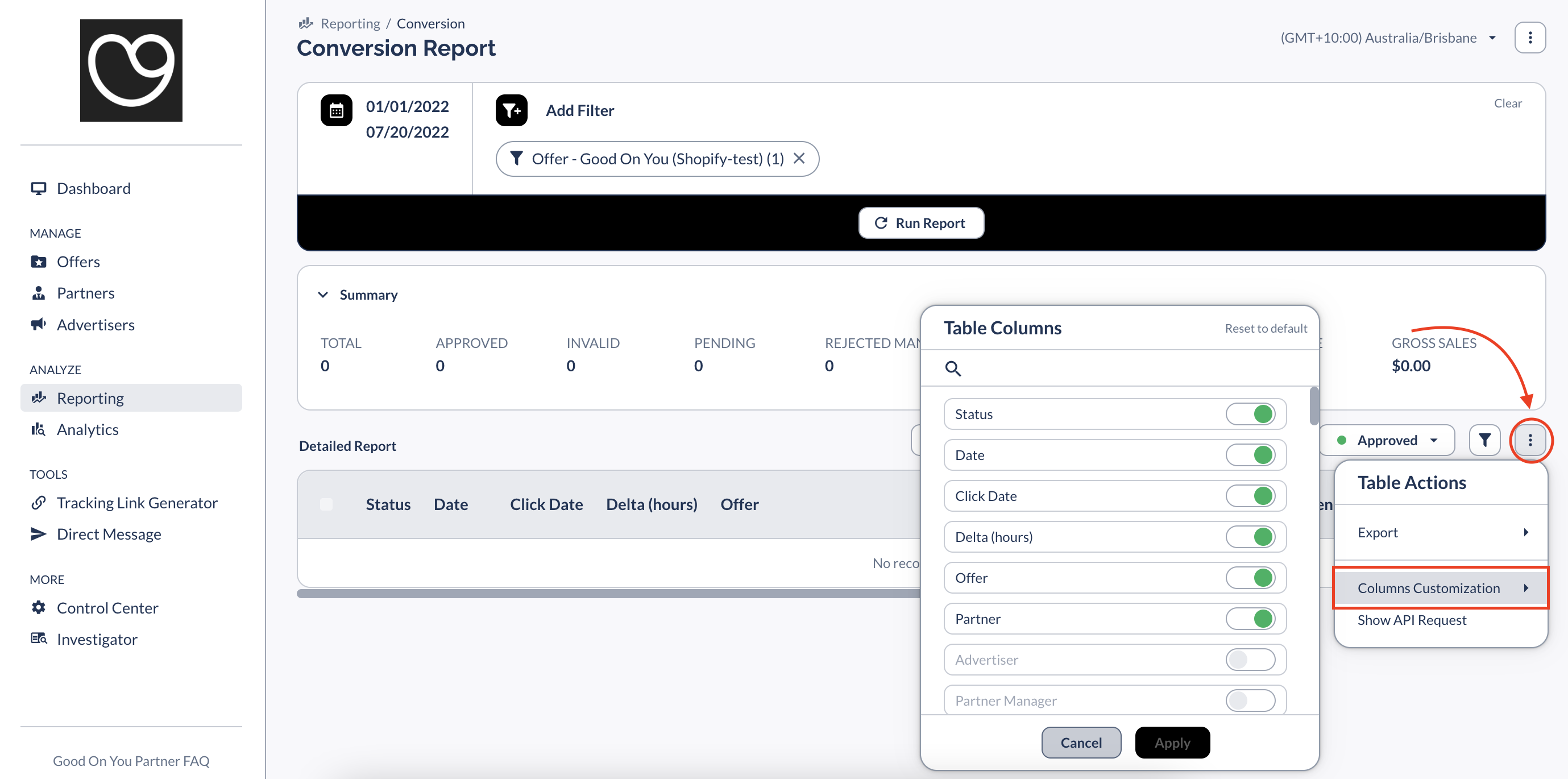
(2) Go to the three-dots button and select 'Columns Customization'.
_vtqdwhfn-62f0eeyys5fywfny8_VJyIRgKMtQ41658318283478-2.png

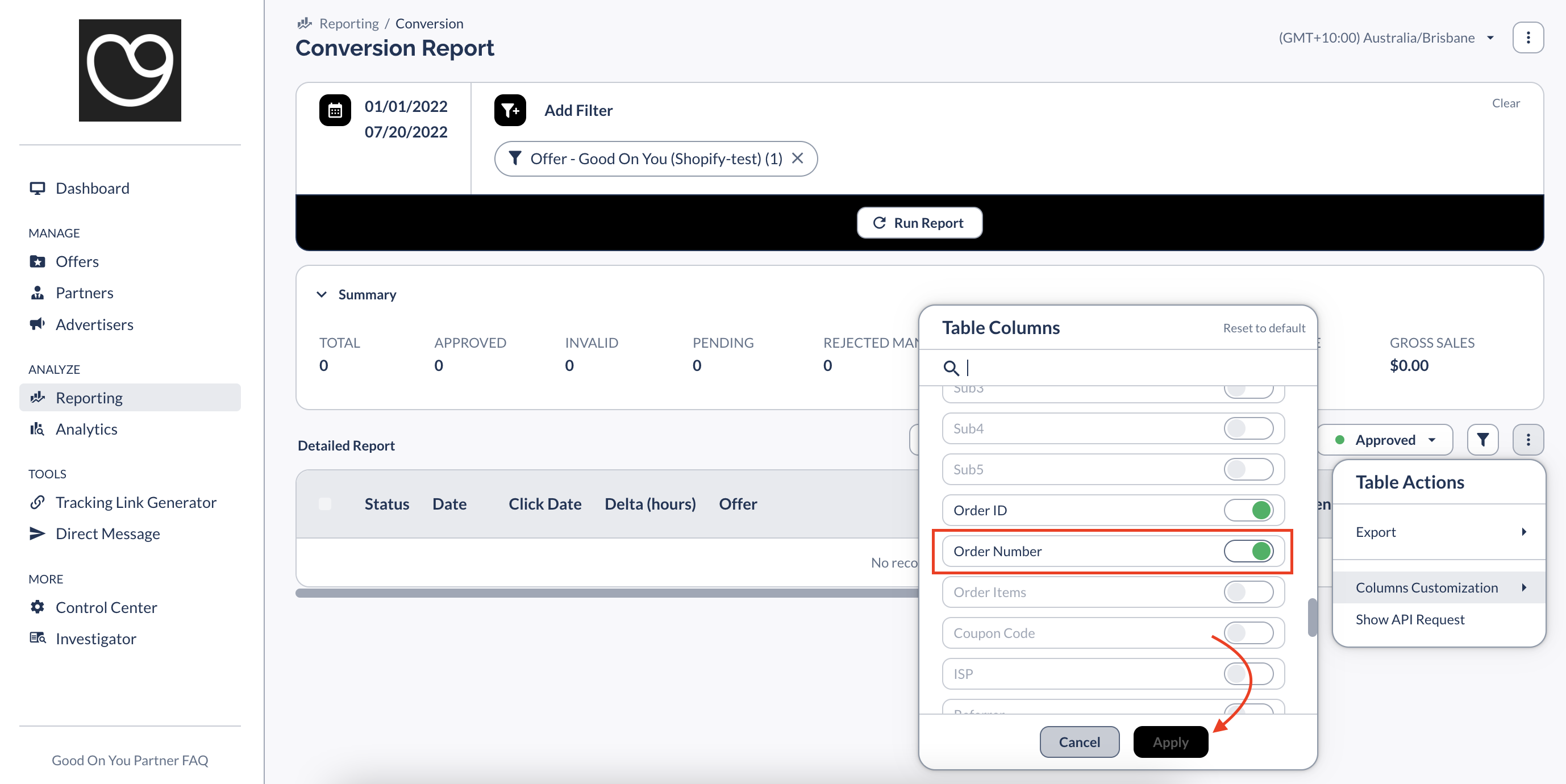
(3) Make sure that 'Order Number' column is selected -- if not, turn it on and then click 'Apply'.
_vtqdwhfn-62f0eeyys5fywfny8_VJyIRgKMtQ41658318306760-3.png

Did you find this article helpful?
Previous

How do I monitor performance in Everflow?

Next