

Navigate to the left-side menu and select "Reporting"
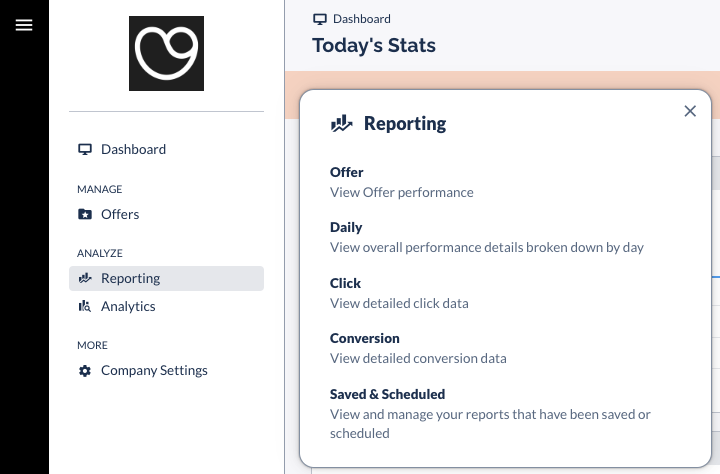
Offer report: overall performance report; including a breakdown of your performance by publisher.
Daily report: overall performance broke down by day;
Click report: a detailed report of all clicks registered on your affiliate links;
Conversion report: a detailed report of all referred conversions through affiliate links;
Saved & Scheduled: only populated if you have saved or scheduled reports. You can run custom reports and save them for your ease of use or even schedule them to be sent to your inbox every day/week/month. You can ask your account manager to schedule reports for you if that's easier.
Note: when you run a Conversion report, “Cost” is the commission on the order.
You can also save these reports, and schedule them to be sent directly to your inbox. See details on how here.
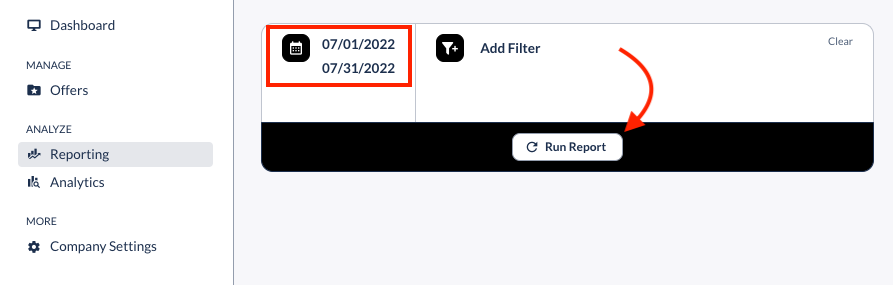
Once you select your report, pick a timeframe and push the "Run report" button.
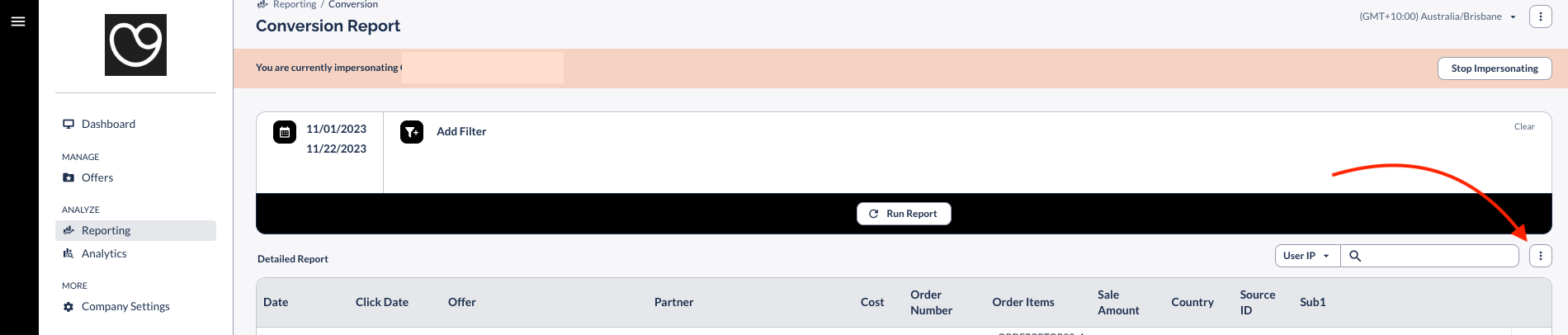
Note that you can always add more columns to all the reports, for example, to see what the driving sources for traffic and sales are.
Here's how:
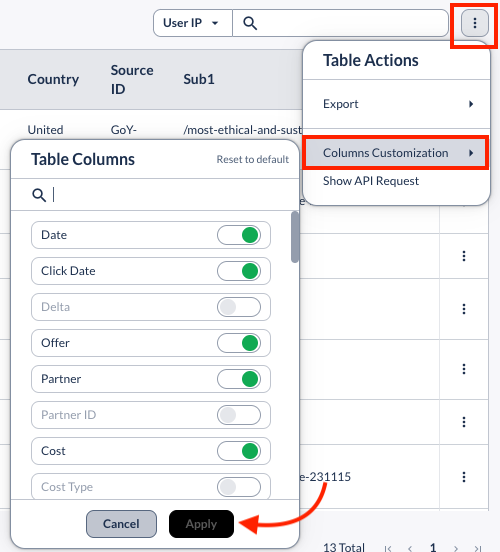
From there, navigate to "Columns Customization" and select all that apply.
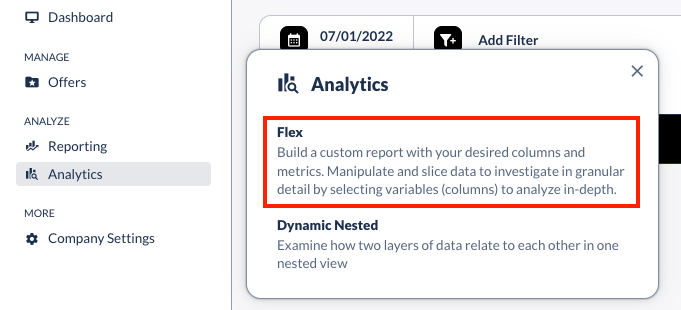
You can also create even more customized reports by navigating to "Analytics" and selecting this option:
If you would like to learn more about the metrics in the reports, check out this explanatory guide.